IPTV is television that arrives over your internet connection instead of a dish, an aerial or a cable line. The letters stand for Internet Protocol Television, which sounds technical but describes something you already use: the same internet that loads web pages and video calls also carries live TV channels, films and series to the screen in your living room.
This guide explains what IPTV is in plain English, how it actually works, what you need to start watching, what it costs, and how it compares with cable and with apps like Netflix. If you are deciding whether to switch, you will know enough by the end to make that call.
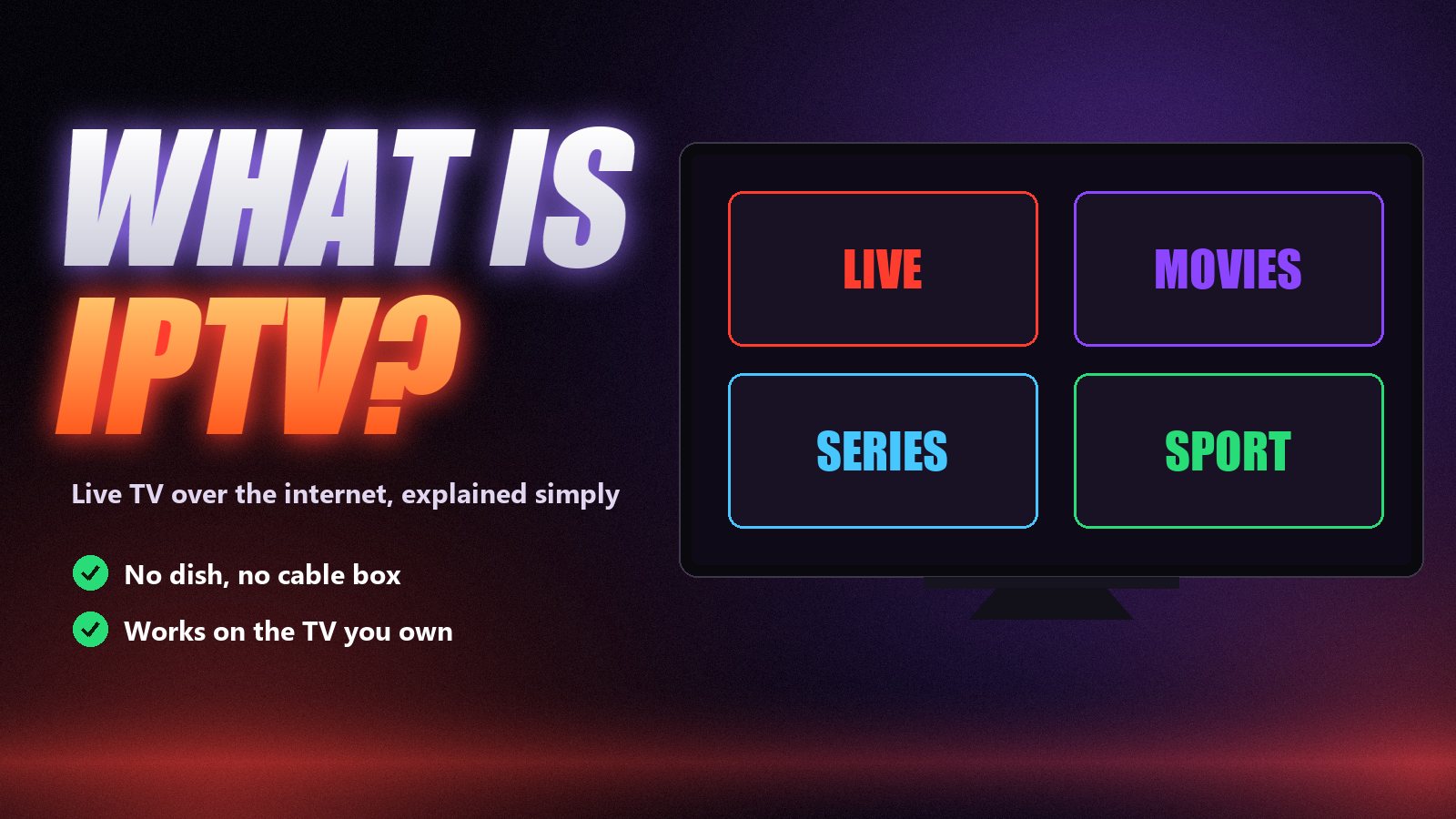
What is IPTV, exactly?
Traditional TV is broadcast. A signal goes out over the air, down a satellite link or along a cable, and every home receives the same channels at the same time whether anyone is watching or not. IPTV turns that around. Each channel is sent as a stream of data packets over the internet, and your device only requests the channel you choose, the moment you choose it.
Two consequences follow. First, the screen no longer has to be wired to a dish or a cable socket: anything with an internet connection and a player app can show live TV, in any room or another country. Second, the channel line-up is no longer limited by what fits on a cable network, which is why IPTV subscriptions can carry tens of thousands of channels from dozens of countries plus a large library of films and series.
The word is used for several different products, which causes most of the confusion:
- Operator IPTV. Some phone and broadband companies deliver their own TV service over their network with a set-top box. Technically IPTV, but it behaves like cable.
- Licensed live-TV streaming. Apps such as YouTube TV or Sling sell a bundle of national channels inside their own app, usually in one country only.
- IPTV subscriptions. What most people mean today: a login from an independent provider that you load into a player app of your choice, with a large international line-up and an on-demand library. This is the kind Zoryflix offers, and the rest of this guide focuses on it.
How IPTV works, step by step
Four pieces have to work together for a picture to appear on your screen. Knowing which piece does what makes almost every later problem easier to solve.
The provider
A provider runs servers that receive TV channels and on-demand titles and send them back out as internet streams. This is where quality is decided: how many people share each server, how well it holds up when a big match starts, and how fast someone answers when a channel goes down.
Your login
When you subscribe you get a line: a server address, a username and a password, or the same details packed into one M3U playlist link. Most apps read the three-field version, known as Xtream Codes login. That line is the whole product. It works in any compatible app on any device.
A player app
The app on your TV or phone is a player, like a web browser for TV. It takes the login, downloads the channel list and the programme guide, and plays what you pick. IPTV Smarters, TiviMate, VLC and Kodi are the common ones; our player apps guide compares them.
A screen and a connection
Any Smart TV, Firestick, Android box, phone, tablet or computer can be the screen. The connection matters more than the device: around 15 Mbps for HD, 25 Mbps for Full HD and 35 Mbps or more for 4K, ideally over a cable or 5 GHz Wi-Fi.
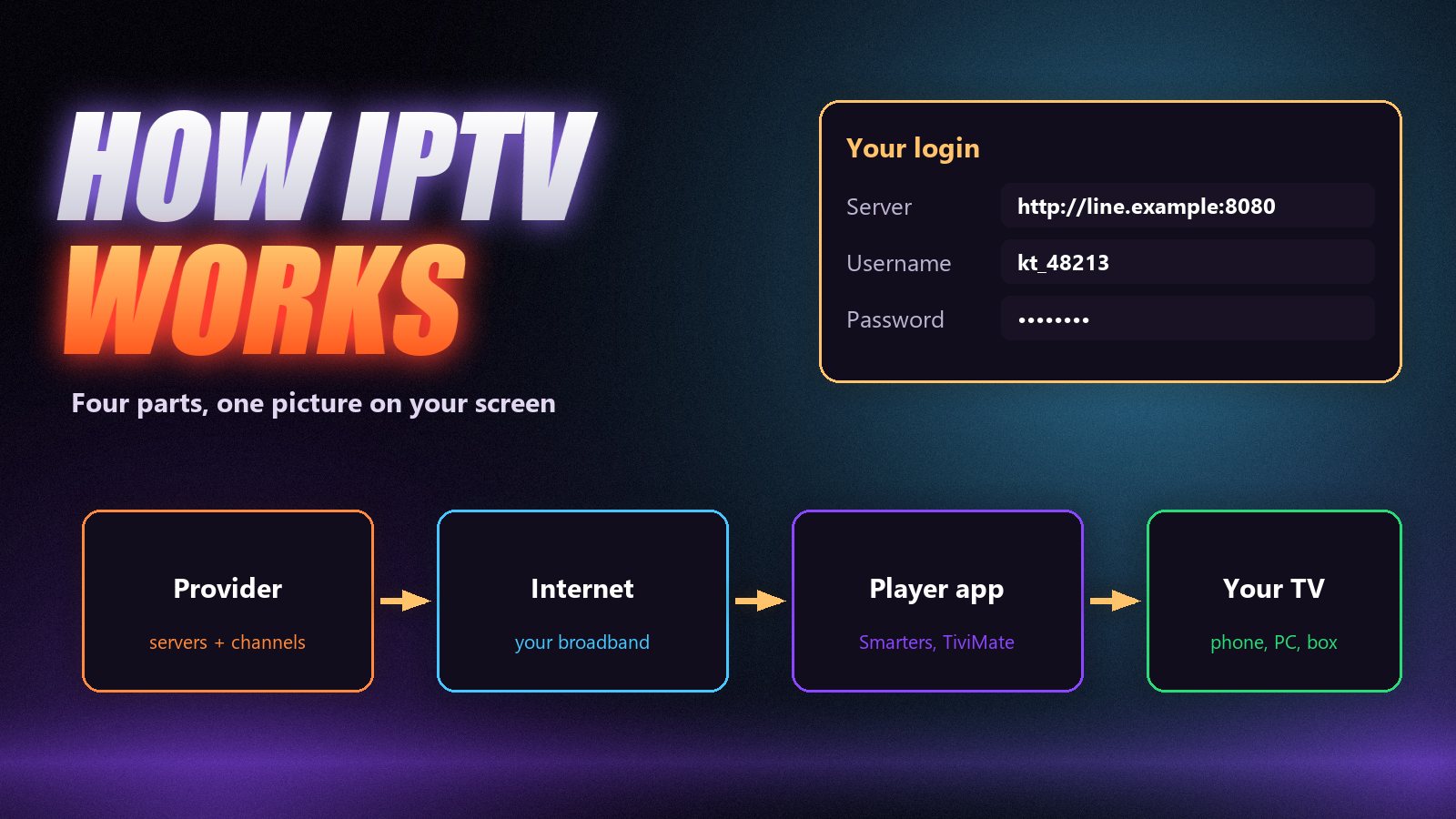
When you press a channel, the app asks the provider’s server for that stream, the server starts sending it, and the app buffers a few seconds before playing so short dips in your connection do not interrupt the picture. That buffer is why a channel takes a second or two to start, and why a weak connection shows up as buffering rather than a blank screen.
What you get with an IPTV subscription
- Live channels grouped by country and category: news, sport, films, kids, documentaries, music.
- Video on demand: films and complete series with posters, plots and often several audio and subtitle languages.
- A programme guide (EPG) showing what is on now and next, which you can browse like a TV listings grid.
- Catch-up on channels that support it, so you can play a show that aired earlier; see how catch-up works.
- Several connections on longer plans, so different rooms can watch different things at the same time.
At Zoryflix every plan carries the same line-up of 75,000+ live channels and 260,000+ films and series in up to 4K. Plan length only changes the price per month and how many screens can watch at once. The full list is on the channels page.
What you need to watch IPTV
| You need | Typical choice | Notes |
|---|---|---|
| A subscription | An IPTV line from a provider | Server address + username + password, or an M3U link |
| A player app | IPTV Smarters Pro, TiviMate, VLC | Free or low-cost; see the player guide |
| A device | Smart TV, Firestick, Android box, phone, PC | Setup guides on our devices page |
| Internet speed | 15 Mbps HD · 25 Mbps FHD · 35 Mbps 4K | Measured on the TV, in the evening; see the speed guide |
| A good connection path | Ethernet cable or 5 GHz Wi-Fi | Fixes most picture problems before they start |
If you have a Firestick, start with our Firestick setup guide. Samsung and LG owners can use the Samsung and LG guides, and an Android TV box is the most flexible option of all. Watching on a computer is covered in IPTV on PC and Mac.
IPTV vs cable and satellite
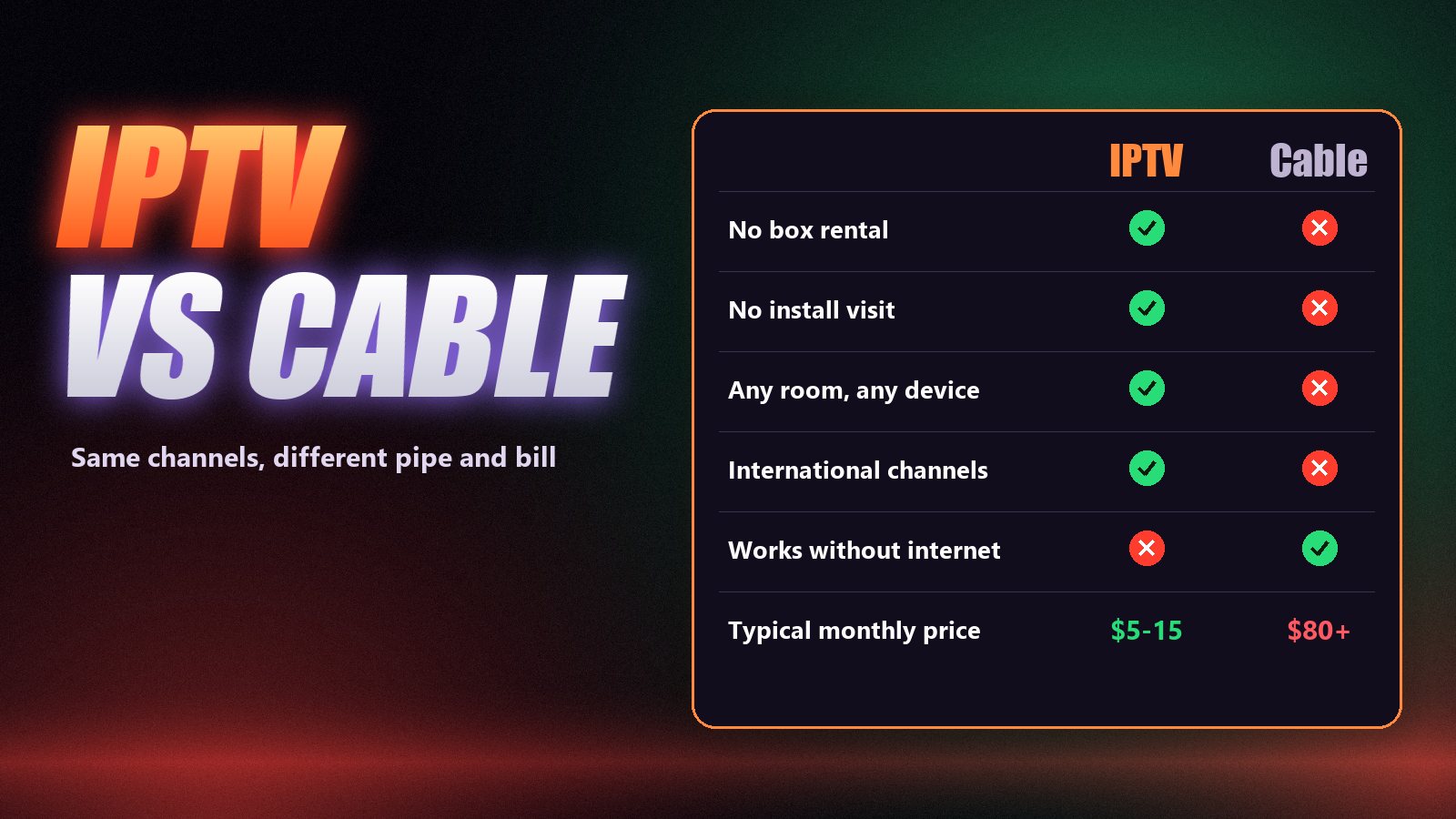
Cable and satellite still have one real advantage: they do not depend on your broadband. If your internet is slow or unreliable in the evening, a cable box will keep working when an IPTV stream struggles. Everywhere else, IPTV comes out ahead.
| IPTV subscription | Cable or satellite | |
|---|---|---|
| Monthly cost | About $5–15 | About $80–150 with box rental |
| Equipment | Devices you already own | Rented box per room |
| Installation | Type a login, 15 minutes | Engineer visit, sometimes a dish |
| Channels | Tens of thousands, many countries | A national package |
| Contract | Prepay a term, no lock-in | Often 12–24 months |
| Needs internet | Yes, a stable connection | No |
IPTV vs Netflix and live-TV apps
Netflix, Disney+ and similar apps are on-demand libraries: no live channels, no sport as it happens, one company’s catalogue. Live-TV apps like YouTube TV add live channels but sell a fixed national bundle, usually at $70 or more a month and only inside one country. An IPTV subscription sits between the two: live channels from many countries, live sport and a large on-demand library, loaded into the app you prefer. Many households keep one streaming app for its own shows and use IPTV for everything live.
Test before you decide
The quickest way to know whether IPTV suits your home is to try it on your own TV and connection at the busiest time of the evening. Our free trial guide lists the six checks worth running in those 24 hours.
How much IPTV costs
Independent IPTV usually costs $10–20 for a single month and $5–8 a month on a longer plan. At Zoryflix a month is $15, a year is $80 ($6.67 a month) and two years are $145 (about $6 a month), with a lifetime plan available as a limited promotion. Our article on how much IPTV costs breaks down the market and the extra costs nobody lists, and the current plans are on the pricing page.
Getting started in 15 minutes
- Check your speed on the TV itself, in the evening. Aim for 25 Mbps or more.
- Install a player app: IPTV Smarters Pro is the easiest first choice on most devices.
- Get a line: a free trial first, then a plan from a provider that passes the checks in how to choose an IPTV service.
- Enter the server, username and password exactly as sent. Wait for channels and guide to load.
- Watch something live at prime time. If it holds steady, you are done.
Frequently asked questions
IPTV stands for Internet Protocol Television. It means television delivered over an internet connection, using the same protocol as web pages and video calls, instead of a satellite dish, an aerial or a cable line.
A provider sends TV channels and on-demand titles from its servers over the internet. You enter a login in a player app on your TV, phone or computer, the app downloads the channel list and guide, and the stream plays when you pick a channel.
Three things: an IPTV subscription (a server address, username and password, or an M3U link), a player app on a device you already own, and a stable internet connection of roughly 15 Mbps for HD or 35 Mbps for 4K.
They all stream over the internet, but they are different products. Netflix is an on-demand library in one app. YouTube TV is a licensed bundle of US channels. An IPTV subscription is a login that loads live channels from many countries plus an on-demand library into the player app of your choice.
IPTV as a technology is legal and is used by large telecom companies around the world. Whether a particular service is lawful depends on the rights it holds for the channels it carries and on the law where you live, so check the rules in your country.
No. Most Smart TVs, Firesticks, Android TV boxes, phones and computers can run an IPTV player app. A dedicated box only helps when your TV is old or its app store has no suitable player.
The short answer
IPTV is live TV and on-demand video delivered over the internet to the devices you already own. It costs a fraction of cable, it works in any room and it carries far more channels, as long as your connection is steady and your provider’s servers hold up at prime time. The second part is the one to test. Start with a free 24-hour Zoryflix trial on your own TV, and decide on a plan once you have seen it handle a busy evening.
The Zoryflix support desk
Written by the same team that answers your messages at 2 a.m. Everything here comes from real tickets — the fixes that worked, in the order they usually work. Something still not right? Message us on WhatsApp.