Ask how much IPTV costs and you will hear everything from “two dollars a month” to “eighty”. Both are true, because the word covers very different things. Some IPTV is a licensed live-TV service from a big US brand. Some is a subscription line from an independent provider that you load into an app. And some is a reseller selling the same overloaded server to everyone at a price that cannot possibly cover it.
Here is what IPTV actually costs in 2026, what pushes the price up or down, the costs nobody puts on the price card, and how to pay less without ending up with a service that freezes every Saturday night.
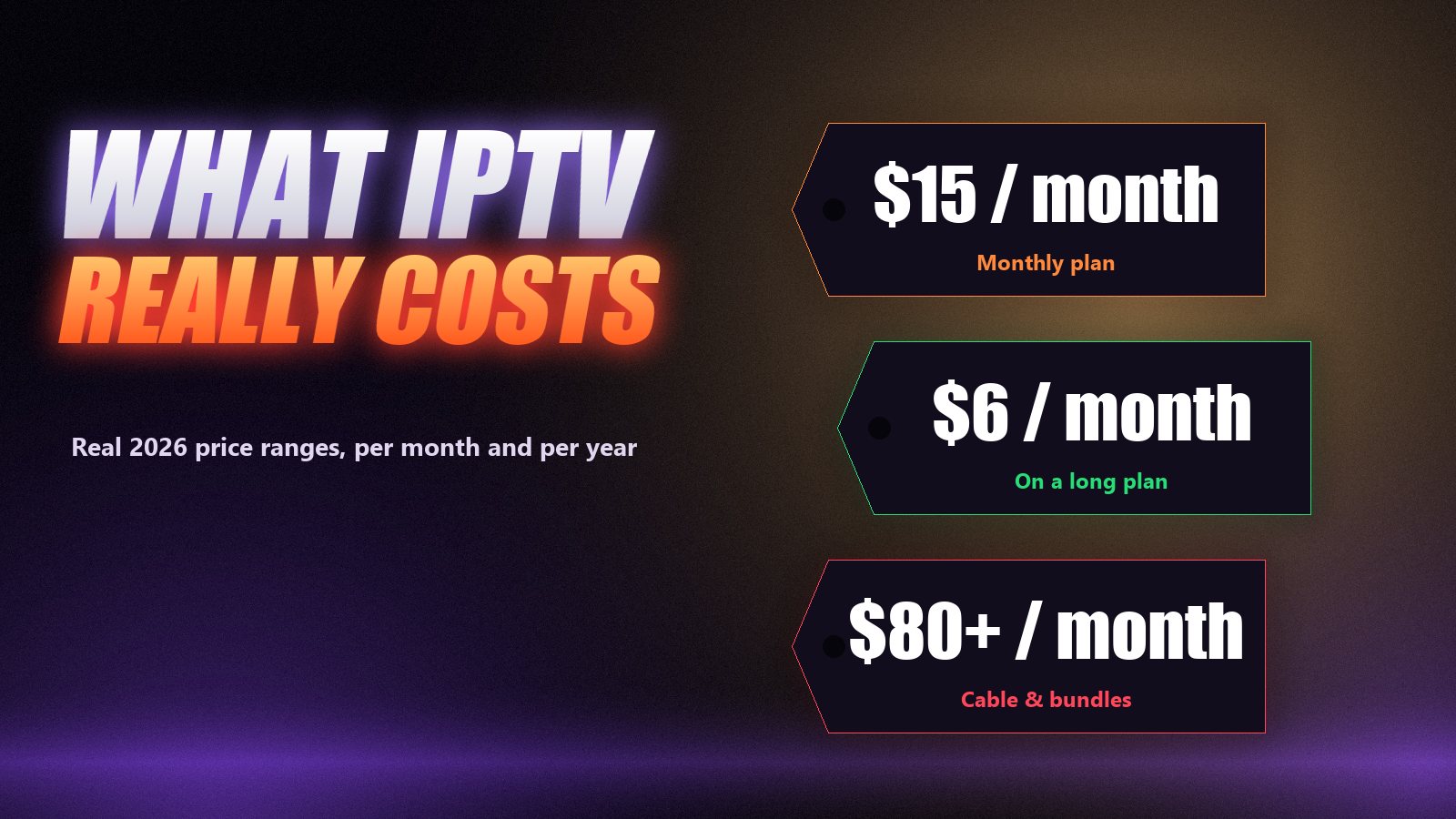
What IPTV costs, by type
| Type of service | Typical price | What you get |
|---|---|---|
| Licensed live-TV streaming (US) | About $40 to $80+ a month | A curated US channel bundle, cloud DVR, works in the US only |
| Independent IPTV, monthly | About $10–20 a month | Large international lineup, guide, on-demand library, your choice of app |
| Independent IPTV, 12 months or longer | About $5–8 a month | The same service, prepaid for longer at a lower monthly rate |
| Rock-bottom resellers | $2–4 a month | Usually an overloaded server with little or no support |
| Cable or satellite (for comparison) | About $80–150 a month | Box rental, installation, contract, regional channels |
The first row and the rest are not really competitors. Licensed bundles sell a small, legally packaged set of US channels at a premium. Independent IPTV providers sell breadth: tens of thousands of channels from dozens of countries, plus a large film and series library, at a fraction of the price. Most people comparing prices are choosing between rows two to four, and that is where the real decisions are.
What makes one IPTV service cost more than another
- Server capacity. The single biggest cost. Holding a picture steady when thousands of people open the same match at once takes spare bandwidth and load-balanced servers.
- Simultaneous connections. Two screens at once costs the provider double at peak time, so multi-connection plans cost more or are kept for longer terms.
- Term length. Prepaying lowers the provider’s risk and admin, which is why a year costs less than half the monthly rate per month.
- Support. A person who answers on WhatsApp in the evening is a real cost. Services without support are cheaper for a reason.
- Library and extras. On-demand films and series, catch-up archives, 4K feeds and pay-per-view events all add to the bill behind the scenes.
The cheapest month is the one you do not have to repeat
Switching providers has a cost that never appears on a price card: setting up the app again, rebuilding favourites, missing a match while the new line arrives. A service that costs a dollar or two more but still works next season is cheaper over a year than three cheap ones in a row.
The per-month maths, using real plans
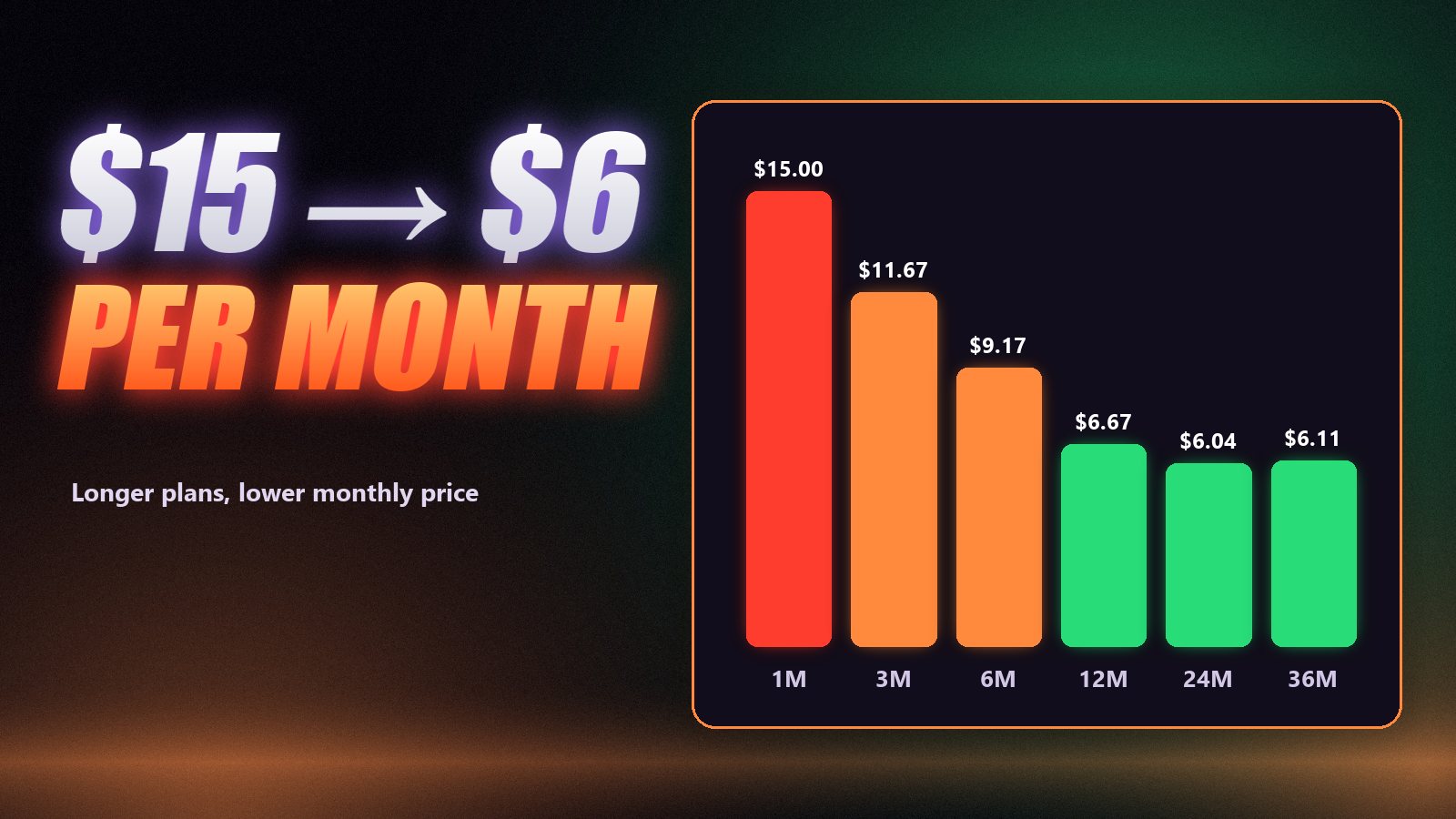
Here is how the price per month changes with term length, using Zoryflix’s current plans as a worked example. Every plan has the same 75,000+ channels and 260,000+ films and series; only the length and the number of connections change.
| Plan | Price | Per month | Connections |
|---|---|---|---|
| 1 month | $15 | $15.00 | 1 |
| 3 months | $35 | $11.67 | 1 |
| 6 months | $55 | $9.17 | 1 |
| 12 months | $80 | $6.67 | 2 |
| 24 months | $145 | $6.04 | 3 |
| 36 months | $220 | $6.11 | 4 |
| Lifetime (limited promo) | $200 | One payment | 5 |
Two things stand out. The biggest saving comes in the jump from short plans to six and twelve months: the per-month price more than halves. After that the gains are smaller, and what the longest plans add is screens: three devices at once on two years, four on three years and five on the lifetime plan. The full list is on our pricing page.
Costs that are not on the price card
| Extra | Typical cost | Do you need it? |
|---|---|---|
| Streaming device (e.g. a Firestick) | About $30–60, once | Only if your TV has no suitable app; see our IPTV box guide |
| Paid player app | A few dollars a year, or a one-off licence | Optional; see TiviMate Premium |
| Faster internet | Varies by provider | Only if you are below about 25 Mbps for 4K; see speed guide |
| VPN | A few dollars a month | Optional; depends on your situation |
| Extra connections | Built into longer plans or added | Only for screens that watch at the same time |
How to pay less without buying junk
Test before you pay anything
A free trial costs nothing and tells you whether the service works on your TV, on your connection, at prime time. Our free trial guide lists the six things worth checking in those 24 hours.
Buy one month first
A month at the full monthly price is the cheapest insurance you can buy. It covers a few weekends of real viewing, a couple of big matches and at least one support request. If it holds up, you have lost almost nothing by not starting with the long plan.
Then commit to the longest term you trust
Once you know the service works, the per-month price drops sharply with length. At Zoryflix, one month at $15 becomes $6.67 a month on a year and $6.04 on two years. Choose the longest term you are comfortable prepaying for that provider, and no longer.
Match connections to your household
Count how many screens actually watch at the same time on a busy evening. Paying for connections nobody uses is waste; having too few means someone is locked out at kick-off. Zoryflix plans include two simultaneous connections on the 1-year plan, three on two years, four on three years and five on the lifetime plan; see how connections work.
Skip extras you will not use
A paid player licence, a VPN or a new streaming device can each be worth it, but not by default. Start with what you have, then add the one extra that fixes a real problem.
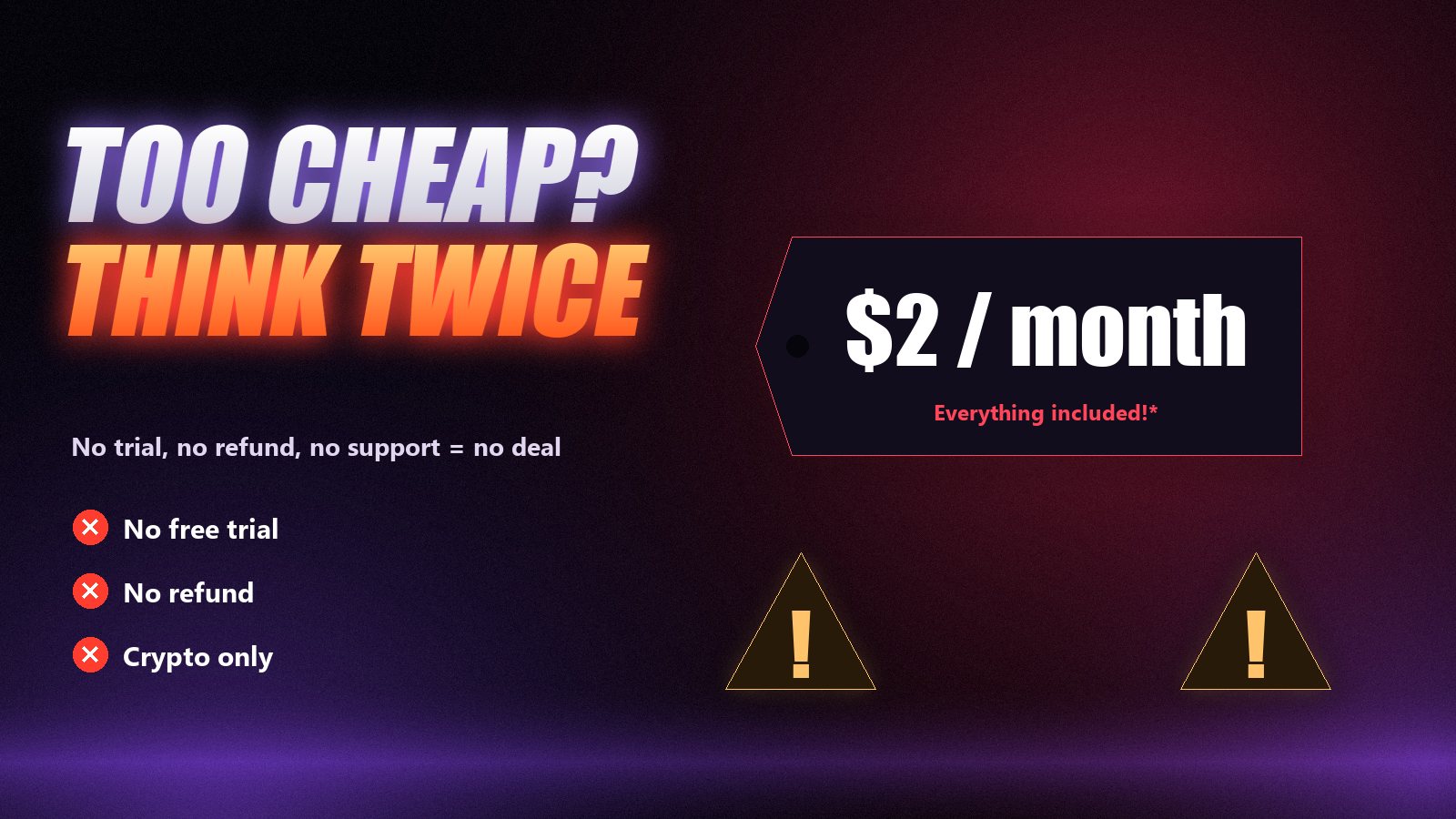
When the price is a warning sign
A low price is not a problem in itself. A low price with no way to check the service is. Be careful when you see several of these together: a monthly price far below everyone else’s, no free trial, no money-back window, payment only by gift card or crypto, no support channel that a person answers, and a website that promises everything with no detail. Our article on checking an IPTV seller before you pay walks through the checks one by one.
Frequently asked questions
Independent IPTV subscriptions typically cost $10 to $20 for a single month and roughly $5 to $8 a month on a 12-month plan. Licensed live-TV streaming services in the US usually cost from about $40 to more than $80 a month.
Usually much cheaper. A cable or satellite package with box rental commonly costs $80 to $150 a month in the US, while an IPTV subscription on a yearly plan works out at under $10 a month. There is also no equipment rental, installation fee or long contract.
Very low prices usually mean overloaded servers, no real support and a high chance the service disappears. Stable streaming at prime time costs money in servers and bandwidth, so prices far below the market average deserve suspicion.
Yes, once you have tested the service. A year typically costs less than half the monthly price per month. Buy a trial and a month first, then move to a long plan with a provider you already know works for you.
You pay for simultaneous connections, not installed devices. You can install the service on several devices, but the number of screens that can stream at the same moment depends on your plan.
$15 for one month, $35 for three months, $55 for six, $80 for twelve, $145 for two years, $220 for three years, or $200 for lifetime access as a limited promotion. Every plan has the same 75,000+ channels and a 7-day money-back guarantee.
What a fair price looks like
In 2026, a fair price for a reliable independent IPTV service is roughly $15 for a month and $6 to $8 a month on a long plan, with a trial before you pay and a refund window after. Much more than that and you are paying for a brand or a bundle; much less and you are usually paying for problems. The way to know which side of that line a provider sits on is to test it: start with a free 24-hour Zoryflix trial, then pick the plan that matches how long you want to stay.
The Zoryflix support desk
Written by the same team that answers your messages at 2 a.m. Everything here comes from real tickets — the fixes that worked, in the order they usually work. Something still not right? Message us on WhatsApp.