Yes, you can use IPTV on multiple devices. You can install the app on your living-room TV, a Firestick in the bedroom, your phone and a laptop, and sign every one of them in with the same login. What you cannot always do is watch on all of them at the same time. That depends on one number in your plan: the number of connections.
This guide explains how IPTV connections work, the difference between installing on a device and streaming on it, how to set up a second or third screen, what to do when you hit the limit, and how to pick a plan that fits your home.
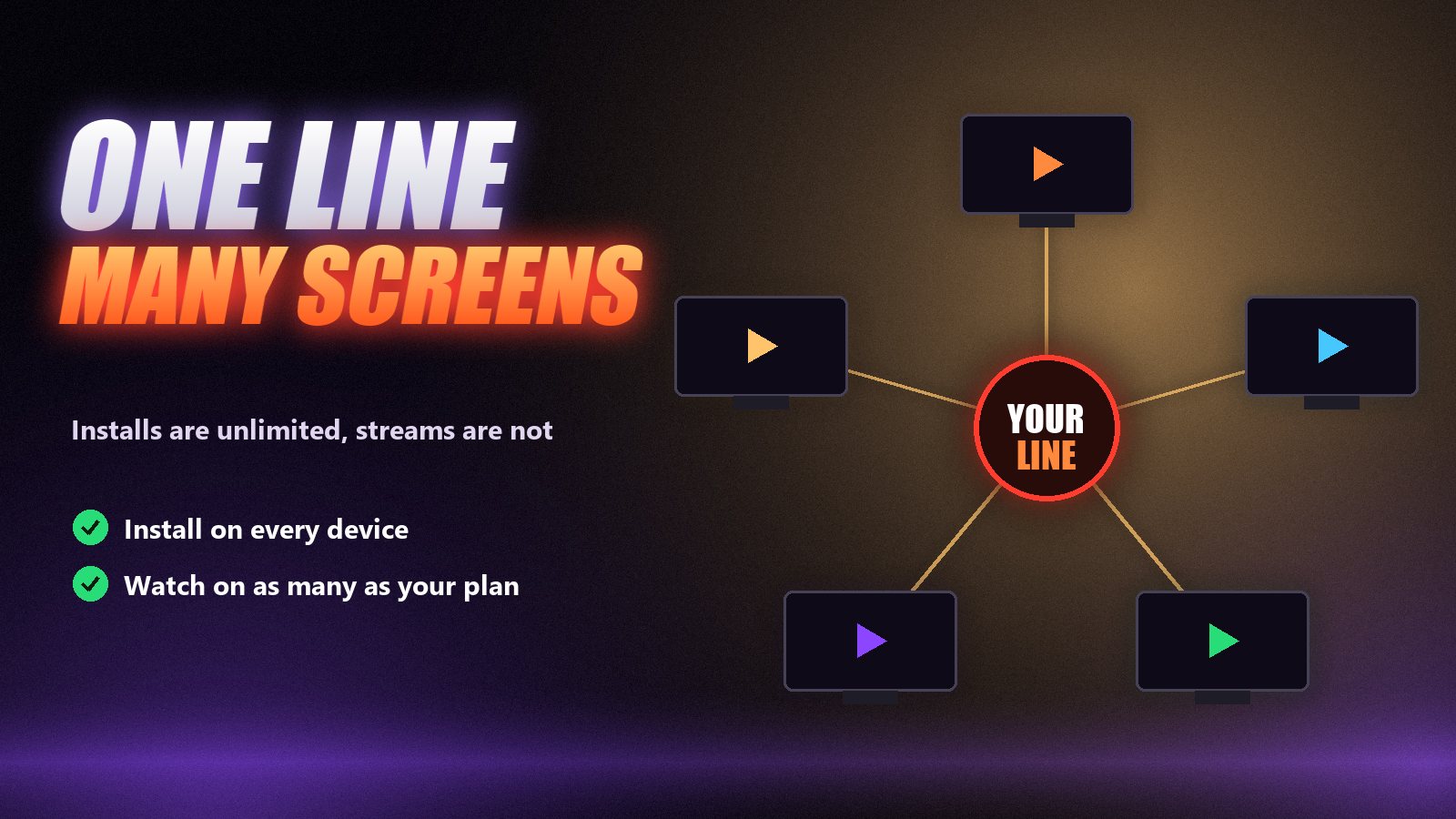
What an IPTV connection is
An IPTV connection is one live stream running at a given moment. When you press play, your app opens a stream from the provider’s server. That open stream is a connection. When you stop, it closes. The provider counts how many of your streams are open at once and compares that number with your plan.
Providers limit connections because each stream costs them real bandwidth, especially at prime time when a big match is on. A plan with two connections costs them roughly twice as much at nine o’clock on a Saturday as a plan with one, which is why extra connections usually come with longer plans or cost a little more.
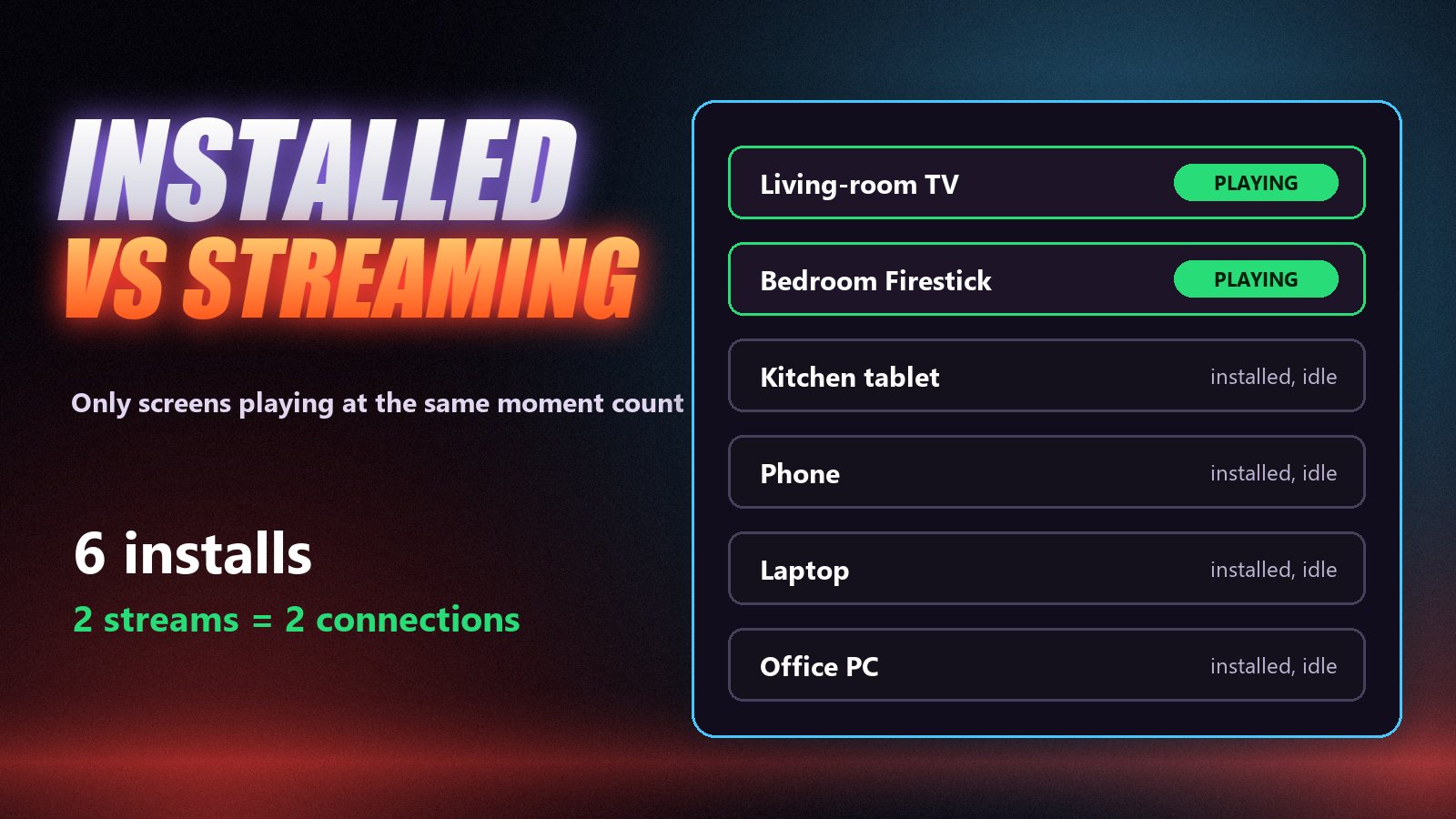
Installed vs streaming: the part people mix up
Installing the app and entering the login does not use a connection. A tablet sitting in a drawer, signed in, costs you nothing. Only devices that are actually playing a channel or a film at the same time count. So the question to ask is not “how many devices do we own?” but “how many screens are playing at once on our busiest evening?”
| Your household | Screens playing at once | Connections to look for |
|---|---|---|
| One person, one TV, a phone for travel | 1 | 1 |
| Couple watching different things some evenings | 2 | 2 |
| Family: lounge, kids’ room, a phone at the dinner table | 3 | 3 |
| Large household or a second home | 4–5 | 5 |
Remember the overlap moments. If the football is on in the lounge while the kids watch cartoons upstairs and someone checks a match on a phone, that is three, even if most evenings it is one.
How to set up IPTV on a second (or fifth) device
Install the same player on each device
Use whatever suits each screen: IPTV Smarters or TiviMate on a Firestick, the built-in app route on a Samsung or LG TV, VLC on a computer. The devices do not have to match.
Enter the same login on every device
Type the same server address, username and password into each app. You do not need a second account for a second room, only enough connections on the one you have.
Watch, and count what plays at once
Everything can stay installed and signed in. The limit applies only to streams playing at the same moment, so a phone left on the home screen does not use a connection.
Close the stream when you stop
Back out of the channel or close the app instead of just turning the TV off. Some devices keep a stream open in the background for a few minutes, which can block another room until it times out.
Same login, different apps is fine
Your line does not care which player you use. TiviMate on the TV, IPTV Smarters on the phone and VLC on a laptop can all run on the same login at once, as long as the number of streams stays within your plan. Our TiviMate vs IPTV Smarters comparison helps pick one per device.
When you hit the connection limit
Go one stream over and you will see it straight away: an error such as “maximum connections reached”, “user limit” or simply a channel that will not start, while another screen keeps playing. Sometimes the newest stream wins and the older one stops. Here is what to check:
- A device still streaming in the background. A Firestick turned off with the TV remote may keep the stream open. Close the app properly.
- Stale connections. After a crash, the server can keep counting a stream for a minute or two. Wait, then try again.
- Someone else using your login. If you hit the limit with only one screen on, change your password through support.
- The plan really is too small. Then the fix is more connections, not more troubleshooting.
If channels stop for other reasons, our guide to IPTV not working walks through the full checklist, and IPTV Smarters not working covers app-specific errors.
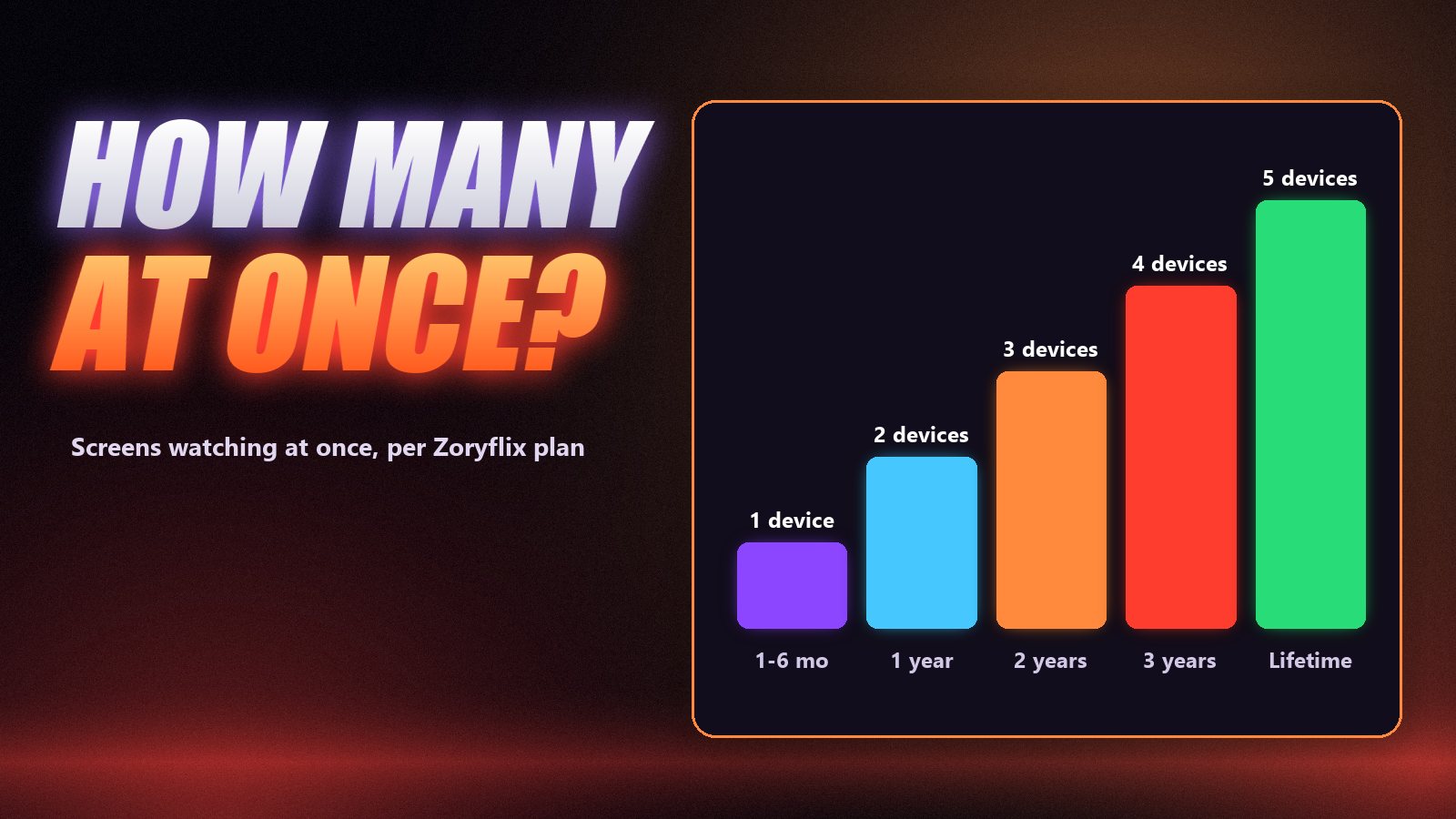
How many devices each Zoryflix plan allows
| Plan | Price | Devices at the same time |
|---|---|---|
| 1 month | $15 | 1 |
| 3 months | $35 | 1 |
| 6 months | $55 | 1 |
| 1 year | $80 | 2 |
| 2 years | $145 | 3 |
| 3 years | $220 | 4 |
| Lifetime | $200 one payment (limited promo) | 5 |
Every plan carries the same 75,000+ channels and 260,000+ films and series, so the only differences are the length, the price per month and the number of screens. If your household needs three screens, the two-year plan covers it at about $6 a month; for larger homes the lifetime plan allows five. Full details are on the pricing page.
Do more devices need faster internet?
Yes. Each stream uses its own bandwidth, so two 4K streams need roughly twice what one does. Plan for about 15 Mbps per HD stream, 25 Mbps per Full HD stream and 35 Mbps per 4K stream, measured in the evening. Our internet speed guide explains why the number on your bill is rarely what reaches the TV.
Frequently asked questions
Yes. You can install your IPTV app and enter the same login on as many devices as you like. The limit is on how many of them stream at the same moment, which depends on the number of connections in your plan.
You need a plan with at least two simultaneous connections. Install a player app on both devices, enter the same server, username and password, and play a channel on each. If the second one fails, your plan only allows one stream.
A connection is one live stream running at the same moment. One connection means one screen can watch at a time; two connections means two screens can watch different channels at the same time.
The extra device usually shows an error such as “maximum connections reached”, or one of the streams stops. Close the stream on another device and wait a minute, or move to a plan with more connections.
The 1-month, 3-month and 6-month plans allow 1 device at a time, the 12-month plan allows 2, the 2-year plan allows 3, the 3-year plan allows 4 and the lifetime plan allows 5. You can install the app on as many devices as you like on any plan.
Technically it works anywhere, but it still counts against your connection limit, and logins used from many different places at once can be flagged by the provider. Check the terms of your plan first.
Count the screens, then choose the plan
Install IPTV on every device you like, then count how many screens play at the same moment on your busiest night and pick a plan with at least that many connections. That one number avoids almost every “it stopped working in the other room” complaint. When you know your number, the Zoryflix plans run from one device to five, with a free 24-hour trial to test them first.
The Zoryflix support desk
Written by the same team that answers your messages at 2 a.m. Everything here comes from real tickets — the fixes that worked, in the order they usually work. Something still not right? Message us on WhatsApp.