Ask whether you need a VPN for IPTV and you get two loud answers: “always” from people selling VPNs, and “never” from people who have never had a problem. The truth is in between. A VPN fixes one specific problem very well, helps with privacy on networks you do not trust, and makes things slightly worse when neither applies.
This guide explains what a VPN actually does to an IPTV stream, when it helps, when it hurts, how to test it on your own connection in twenty minutes, and how to set one up on a Firestick or Smart TV if you decide to keep it.
What a VPN does to an IPTV stream
Without a VPN, your TV asks the IPTV server for a channel and the stream comes straight back through your internet provider. Your provider can see which servers you connect to and how much video you pull, and some providers treat heavy video traffic differently from everything else.
With a VPN, the TV sends everything through an encrypted tunnel to the VPN’s server first, and the VPN fetches the stream for you. Your internet provider only sees encrypted data going to the VPN. That has two effects: it can no longer single out your IPTV traffic, and every packet now takes a longer path with a little extra processing at each end.
When a VPN helps
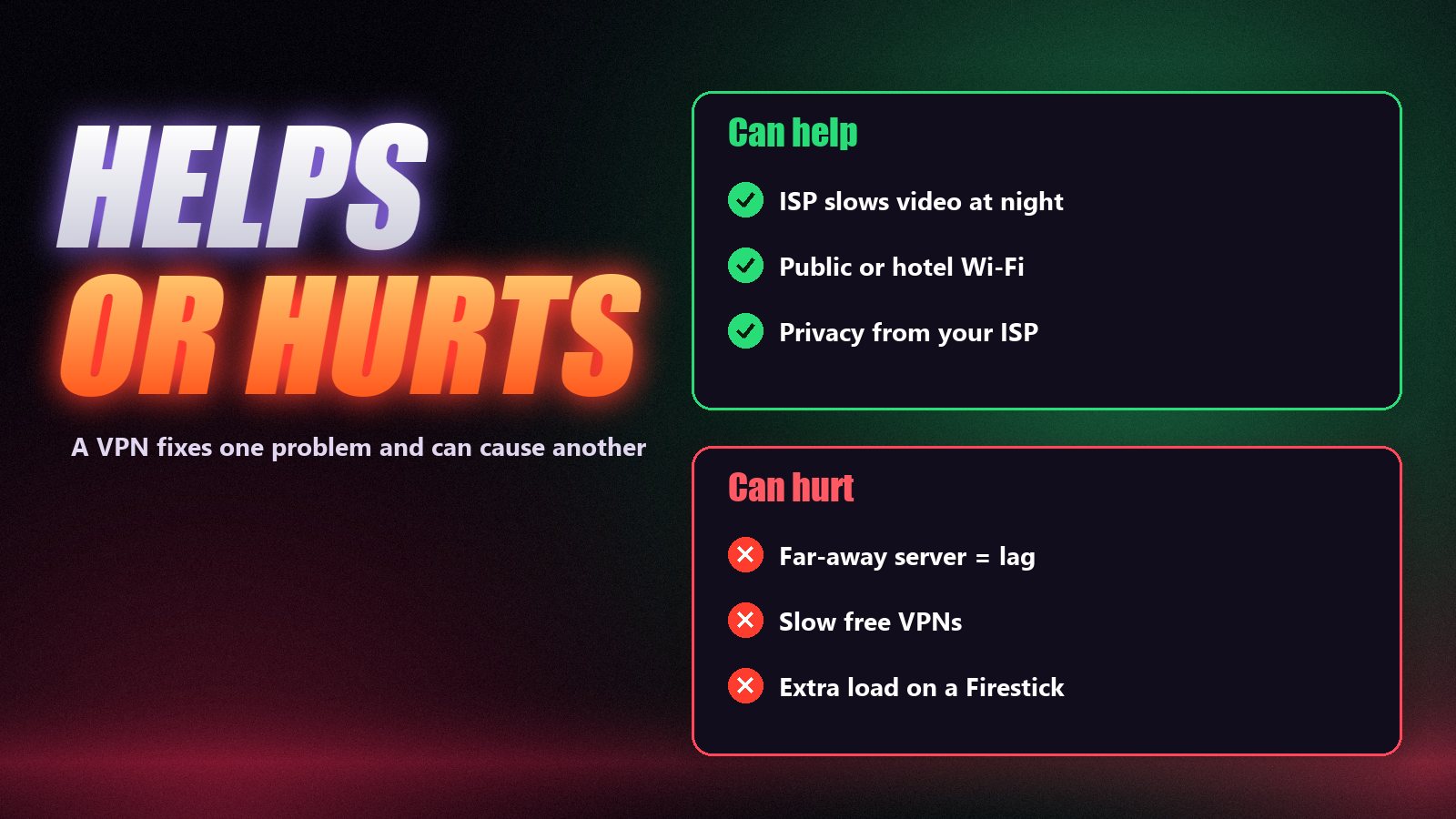
- Your internet provider throttles video. The giveaway is IPTV that runs fine in the morning and stutters every evening, while a speed test looks normal. Because the provider can no longer see the stream, the slowdown often disappears.
- Your provider blocks certain servers. If IPTV fails on home internet but works on mobile data, the route may be blocked. A VPN takes a different route.
- Public, hotel or shared Wi-Fi. Encryption keeps your login and traffic away from others on the network, and some hotel networks block streaming ports a VPN gets around.
- Privacy. Some people simply prefer that their internet provider does not log what they stream.
When a VPN makes IPTV worse
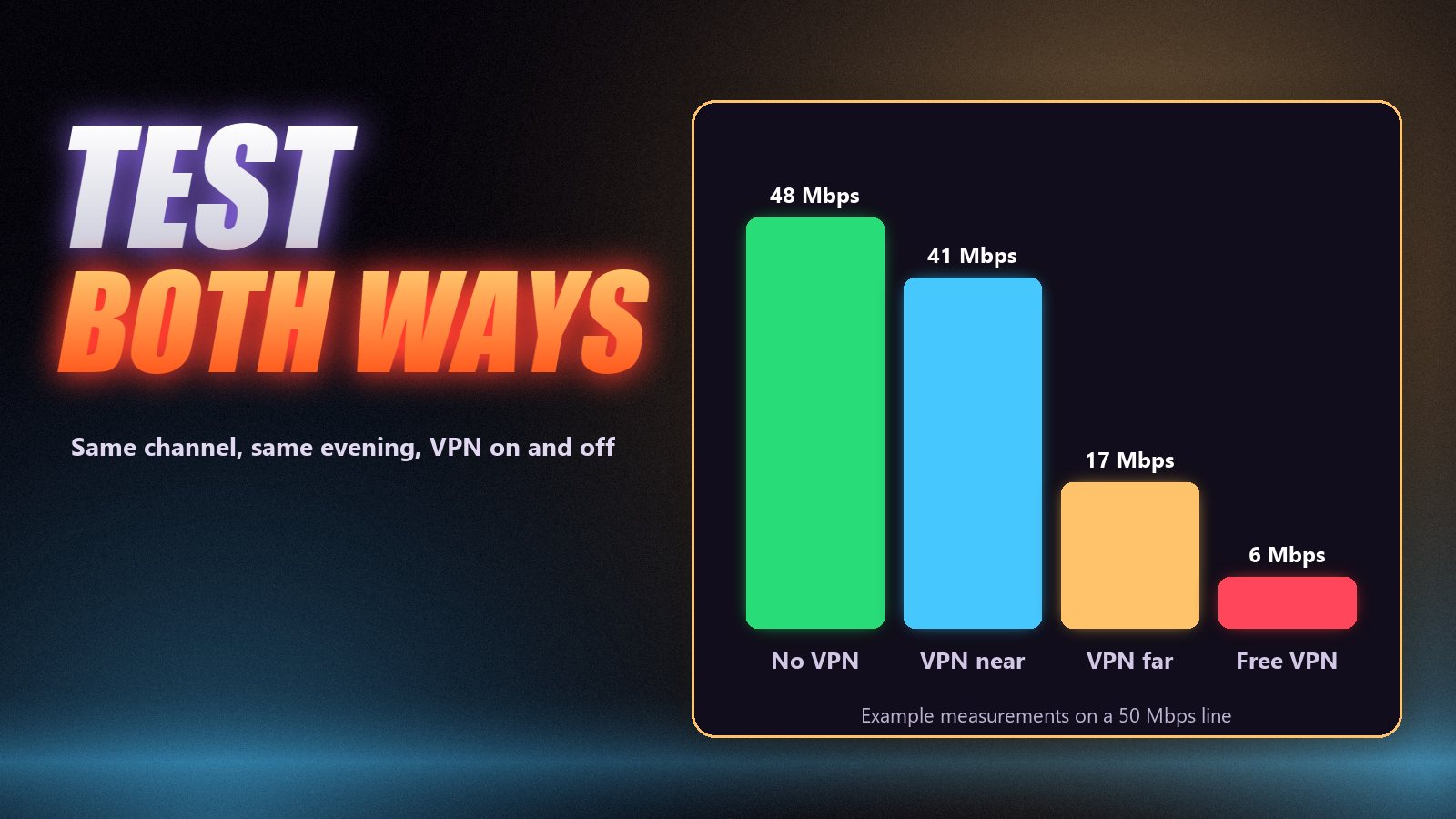
- Your connection is already slow. Encryption and the extra hop cost some speed, typically 10–20% on a good VPN. On a line that barely carries HD, that is the difference between smooth and buffering.
- The VPN server is far away. Connecting to another continent adds delay and passes the stream through more congested links. Always pick a nearby server.
- Free or crowded VPNs. Free services cap speed and data and pack users onto few servers. Fine for web pages, too slow for live 4K.
- Underpowered devices. Encryption uses processor time. Older Firesticks and budget TVs can struggle to run a VPN and decode 4K at once.
A VPN is not a fix for weak Wi-Fi
If your TV sits two walls away from the router on 2.4 GHz Wi-Fi, a VPN cannot help: the problem is inside your home. Move to an Ethernet cable or 5 GHz Wi-Fi first. Our internet speed guide explains what the stream needs.
How to test whether you need a VPN
Pick a busy evening and one channel
Test when problems actually happen, usually between 7 and 11 pm, on a channel that has given you trouble. Testing at noon proves nothing.
Watch ten minutes without the VPN
Count the stalls and note the picture quality. Run a speed test on the TV or Firestick itself, not on your phone.
Connect to a nearby VPN server and repeat
Choose a server in your own country or a neighbouring one. Watch the same channel for the same time, count the stalls and run the speed test again.
Compare and decide
If the VPN run is clearly smoother, your internet provider is probably slowing the stream, and the VPN is worth keeping for IPTV. If it is the same or worse, switch it off: your problem is elsewhere, and the IPTV troubleshooting guide is the next stop.
Setting up a VPN for IPTV
| Device | How | Notes |
|---|---|---|
| Firestick / Fire TV | Install the VPN’s app from the Amazon Appstore | Use a nearby server; see the Firestick guide |
| Android TV / Google TV box | Install from Google Play | Usually enough power for VPN + 4K |
| Smart TV (Samsung, LG) | Most have no VPN app; set the VPN up on the router instead | A router VPN covers every device |
| Phone / tablet | VPN app from the app store | Handy on hotel Wi-Fi |
| PC / Mac | VPN desktop app | See IPTV on PC |
Whatever the device, choose a paid VPN with servers in or near your country, turn on its fastest protocol (often WireGuard), and enable split tunnelling if the app offers it, so only the IPTV app goes through the VPN.
A VPN does not change the rules
A VPN changes how your data travels. It does not change what is legal where you live, and it does not make a service lawful if it is not. Use services and content you are entitled to access in your country.
Frequently asked questions
Not necessarily. Many people watch IPTV without one. A VPN helps when your internet provider slows or blocks the stream, on public or hotel Wi-Fi, or when you want your provider not to see what you stream. If your IPTV already plays smoothly, a VPN adds little.
Only when the buffering is caused by your internet provider throttling video, often in the evening. If your connection is simply slow or your Wi-Fi is weak, a VPN adds overhead and can make buffering worse. Test with and without it on the same channel.
Sometimes. On networks that slow down streaming traffic, a VPN can restore full speed. On a good connection with no throttling, IPTV usually works slightly better without one, because the VPN adds an extra hop and encryption.
The same rule applies. A Firestick runs most VPN apps, but older models have little processing power to spare, so a VPN can cut the speed available for 4K. Use a fast paid VPN and a nearby server if you need one.
No. A VPN changes how your traffic travels, not what is allowed where you live. Use services and content you are entitled to access in your country.
Usually not. Free VPNs tend to have crowded servers, data caps and low speeds that are fine for browsing but too slow for live HD or 4K streams.
Test first, then decide
If your IPTV only struggles in the evening and works on mobile data, try a good VPN on a nearby server: there is a fair chance it fixes the problem. If your connection is slow or your Wi-Fi is weak, fix that first and leave the VPN off. Zoryflix works with or without a VPN on every plan, and you can run the test above during the free 24-hour trial.
The Zoryflix support desk
Written by the same team that answers your messages at 2 a.m. Everything here comes from real tickets — the fixes that worked, in the order they usually work. Something still not right? Message us on WhatsApp.