Two things are true about IPTV on VLC and most articles only tell you the first. VLC will open your playlist in about forty seconds, on any computer or phone you own, with nothing installed and nothing configured. And VLC is a bad way to actually watch television, for reasons that have nothing to do with picture quality.
Both facts are useful. The first makes VLC the best diagnostic tool in this whole hobby: when a stream fails on a Firestick at nine in the evening, VLC on a laptop tells you within a minute whether the problem is the device, the app, the network or the subscription. The second is why nobody who watches football every week is still using it a month later.
The quick answer
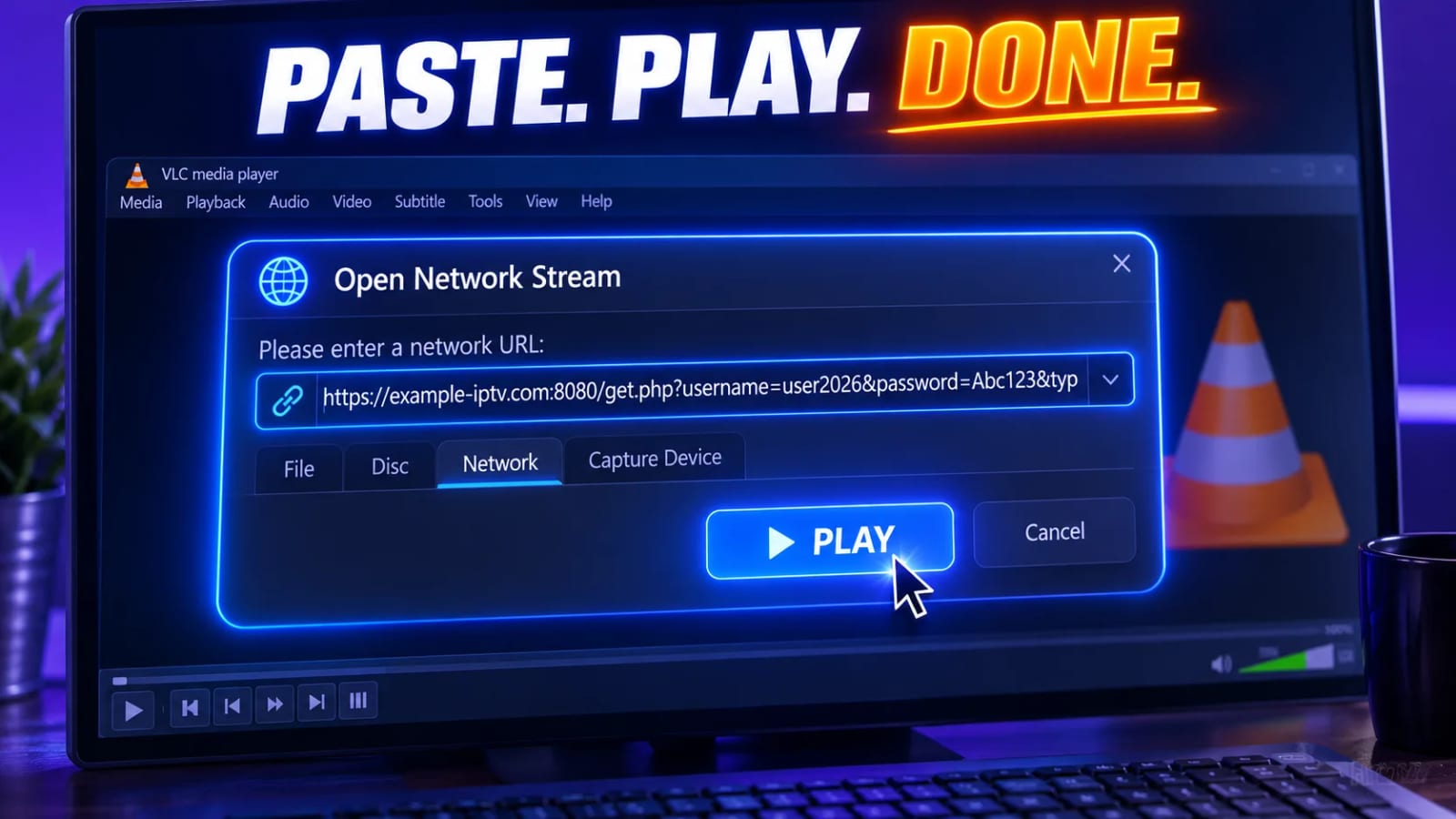
On a computer: open VLC, choose Media → Open Network Stream (on macOS, File → Open Network), paste your M3U or M3U8 playlist URL, and press Play. VLC downloads the playlist, starts the first channel and fills the playlist pane with everything else — press Ctrl+L (Cmd+Alt+P on a Mac) to show that pane and double-click any entry. On a phone, open VLC, go to the network or stream tab, paste the same URL and tap Play. That is the entire procedure on every platform.
A player is not a subscription
VLC supplies no channels. It opens a playlist issued by a service you pay for, and it will open it whether or not you are entitled to it — the responsibility sits with you. Use content you are legally entitled to watch in your country.
Why VLC is the honest test
Every other player in this space sits on top of something. A Smart TV app depends on the television’s decoder and its cramped memory. A Firestick app depends on a small device on Wi-Fi behind a wall. A Kodi setup depends on an add-on, a cache configuration and whatever else is installed. When a stream stutters, any of those layers could be the culprit, and support conversations go in circles for exactly that reason.
VLC on a laptop plugged into the router removes almost every layer. Wide codec support, a real processor to fall back on, a proper network connection, and no interface to misconfigure. If a channel plays cleanly there and stutters on the television, you have learned something specific: the source is fine and the problem is downstream. If it fails in VLC too, no setting on any device is going to rescue it.
That is worth a lot more than it sounds. Most of the arguments people have with providers are really arguments about which side of that line the fault falls on, and VLC settles it in a minute.
Windows, macOS and Linux, step by step
Install VLC from videolan.org
2 min
Download from the official site only. VLC is popular enough to attract mirrors that wrap the installer in adware, and a media player is not something you want a stranger’s bundle inside. The Microsoft Store and most Linux repositories carry legitimate builds too.
Open the network stream dialog
10 sec
On Windows and Linux: Media → Open Network Stream, or Ctrl+N. On macOS: File → Open Network. One field appears, which is all this needs.
Paste the whole playlist URL
30 sec
Include the protocol and everything after the question mark. A typical address ends in type=m3u_plus, and that suffix matters — the plus variant carries channel names and group titles, and without it VLC shows you a list of bare stream addresses that is genuinely unusable.
Show the playlist pane
10 sec
Press Ctrl+L on Windows or Linux, Cmd+Alt+P on macOS, or use View → Playlist. Every channel from the file is listed there. Double-click to switch. The search box at the top of the pane is the only realistic way to find anything in a large list — learn it immediately.
One useful trick: save the playlist locally with Media → Save Playlist to File once it has loaded. VLC then reopens it instantly next time instead of re-downloading tens of thousands of entries, which on a big line can take a noticeable moment. The saved copy goes stale when the provider changes the lineup, so refresh it occasionally.
iPhone, iPad and Android
The mobile builds do the same job with a different menu. Install VLC from the App Store or Play Store, open the side menu, and look for the network, stream or New stream entry. Paste the same playlist URL and play. On iOS the app can also import a playlist file shared from another app, which is handy when the URL arrived as an attachment rather than as text.
The phone versions are more limited than the desktop ones — the playlist pane is smaller, searching is fiddlier, and a huge list can take a while to appear — but for the purpose of proving that an account works from a different network, on different hardware, over mobile data instead of your home broadband, they are ideal. That last test is genuinely valuable: if the line plays over 5G and not over your own connection, your ISP or router is involved, not the provider.
If your provider only gave you an Xtream login
VLC accepts a URL. It has no form for a server, a username and a password, so an Xtream Codes account cannot be entered as such. This is not a dead end, because the two formats are two doors into the same account: every Xtream line exposes an equivalent M3U address built from the same server, username and password. Ask your provider for the M3U URL — with any competent service it is a one-message request, often already in your welcome email — and VLC will open it exactly as described above.
Keep both formats on file whichever player you settle on. Xtream is the better choice inside a real IPTV app, because the app can refresh categories and guide data on its own. The M3U URL is the one that makes a thirty-second test possible from any laptop in the house. Our Kodi guide covers the same choice from the other direction.
What VLC will never do
These are not bugs, and no setting or version upgrade changes them. VLC is a general-purpose media player; television furniture was never part of its job.
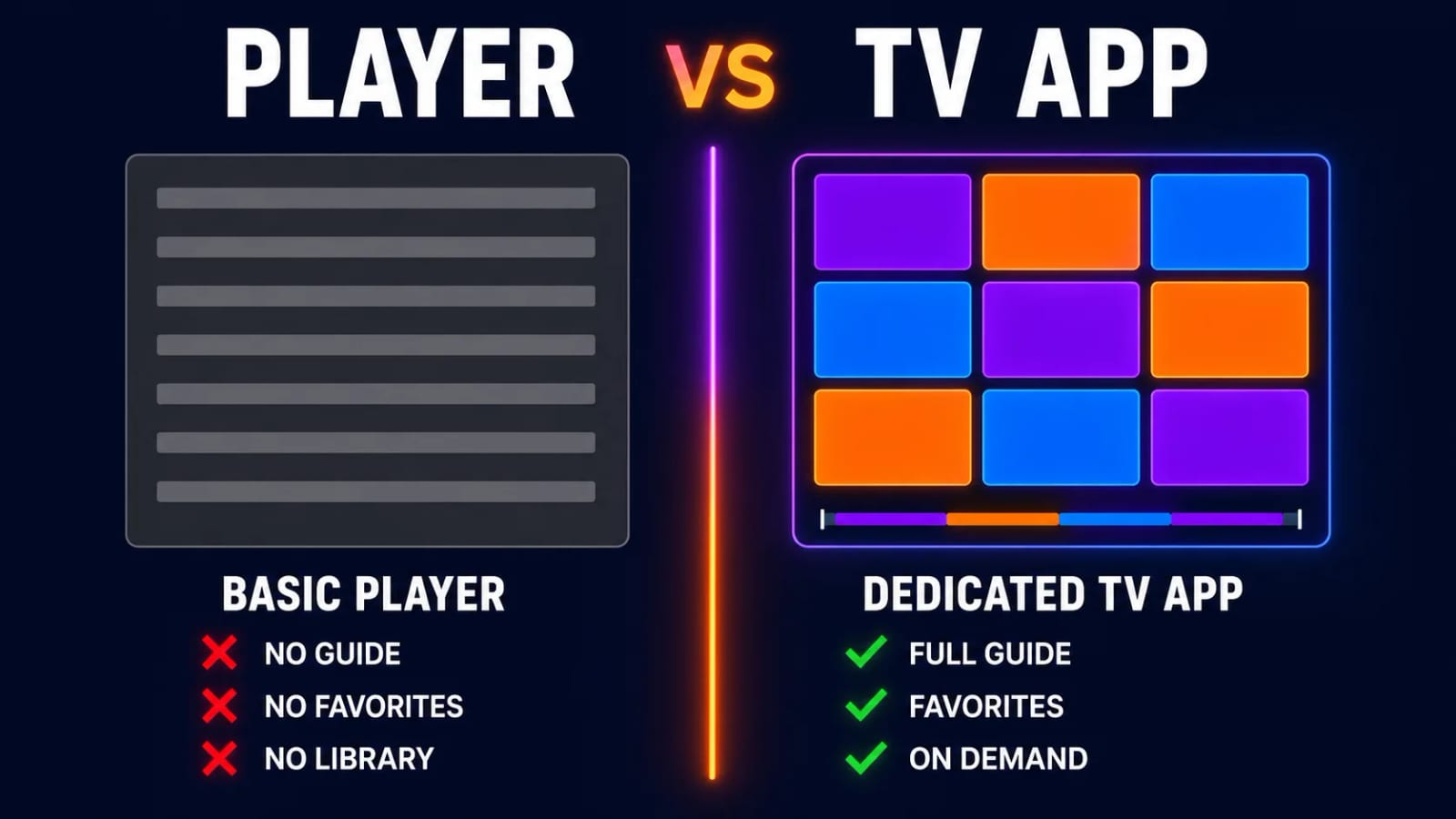
| Feature | VLC | A real IPTV player |
|---|---|---|
| Programme guide (EPG) | None | Full grid, days ahead |
| Categories and groups | Flat list only | Sorted, hideable, reorderable |
| Favourites | None | Yes, usually synced |
| Last-channel / channel up-down | No | Yes |
| Catch-up and recording | No | On most paid players |
| Playback quality | Excellent | Excellent |
Sit with what that means in practice. A subscription with forty thousand channels in VLC is a scrolling list forty thousand rows long, in whatever order the provider wrote the file, with no way to mark the six channels you actually watch. It works. It is simply not television. The players in our comparison exist to solve precisely this, and it is the whole reason they exist.
Prove the line first, then choose a player
Open a Zoryflix trial playlist in VLC on your laptop. If the channels you care about are all there and steady, you know the source is good before you spend an evening setting up a television.
Using VLC as a diagnostic tool
This is where VLC earns its place on the shortlist. Four checks, in order, and each one narrows the problem down.
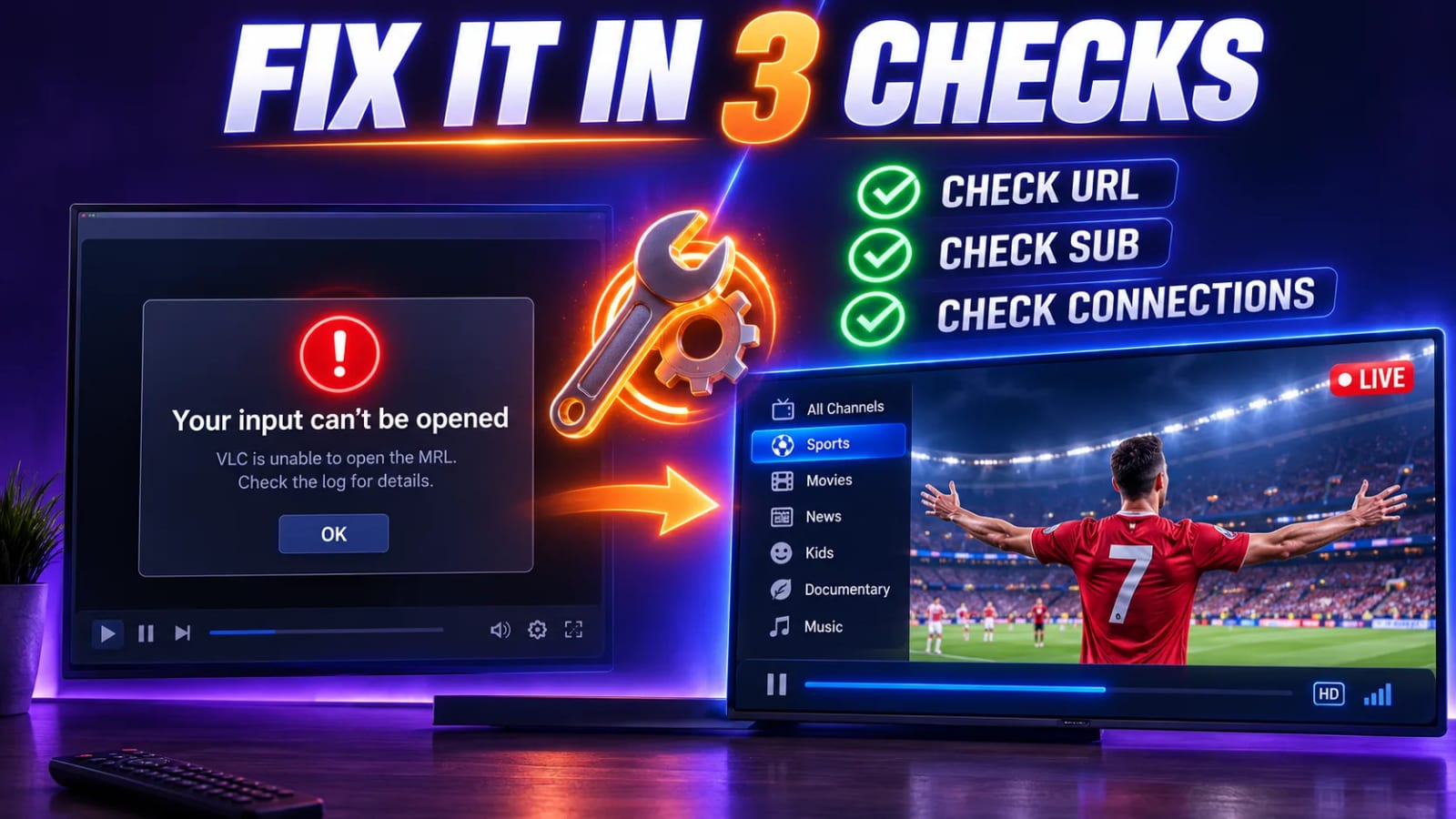
Does the playlist load at all?
1 min
If VLC reports it cannot open the URL, nothing downstream matters. The line is expired, the server address changed, or your network is blocking it. Try mobile data on a phone before contacting anyone.
Do all channels fail, or only some?
2 min
All of them points at the account — expired, or every connection slot already in use somewhere else in the house. A handful failing while the rest play is normal: individual channels go down at the source all the time.
Read the codec information
1 min
Open Tools → Codec Information while a channel plays. It tells you the actual resolution and codec arriving, which settles arguments about whether a channel labelled 4K is really 4K, and explains a silent stream by naming an audio format the device cannot handle.
Watch the statistics tab during a stutter
2 min
The Statistics tab in the same window shows input bitrate and lost frames live. A bitrate that collapses during a stutter is a delivery problem — network or server. A steady bitrate with rising lost frames is a decoding problem on the machine.
Those four answers turn a vague complaint into a specific one, and a specific complaint is the only kind any support desk can act on. If the outcome is that your own connection is the weak link, our 4K speed guide covers what to measure and what to change.
Fixing what actually goes wrong
The playlist opens but nothing plays. Increase VLC’s network caching under Tools → Preferences → Input / Codecs — the default is tuned for local files and is too tight for live HLS. A value around 1500 ms is a reasonable starting point.
Sound with a black screen. Usually hardware decoding disagreeing with the stream. In the same preferences panel, set hardware-accelerated decoding to Disable and try again; if the picture returns, it is a driver issue rather than a stream issue.
The list shows addresses instead of channel names. You have a plain M3U rather than m3u_plus. Ask the provider for the plus variant. Nothing in VLC can recover names that are not in the file.
VLC hangs while loading. The playlist is very large and VLC is parsing all of it. Wait it out once, then save it to a local file so the next open is instant, or ask for a filtered playlist containing only the groups you watch.
It plays on the phone but not on the laptop. The laptop’s network is doing something the phone’s is not — a router filter, a DNS policy, a VPN, or a corporate connection. Test the laptop on a phone hotspot to confirm before blaming anything else.
Where to go once the line is proven
Once VLC has told you the subscription is healthy, move to a player built for live television on the screen you actually watch. On a Firestick or an Android box, install a dedicated IPTV app — our Firestick walkthrough and Android box guide cover both. If you want a proper channel grid on a computer or a Raspberry Pi, Kodi is the natural next step from VLC and uses the same playlist URL. On a Smart TV, use the store app for your platform.
Keep VLC installed regardless. It costs nothing, it stays out of the way, and the next time something breaks it will save you an hour of guessing.
Frequently asked questions
Yes, natively and with no add-ons. On the desktop you use Media, then Open Network Stream, paste the playlist URL and press Play; the channel list appears in the playlist pane. VLC has read M3U and M3U8 for many years, and it handles the HLS streams almost every IPTV service delivers.
No. VLC has no EPG, no channel numbers, no categories and no favourites. It shows a flat list of stream names in the order the playlist file lists them. If you want a programme grid and groups, you need a dedicated IPTV player — VLC is a media player that happens to open playlists.
Not really, and not because of playback quality, which is excellent. It is the missing television furniture that wears you down: scrolling a flat list of tens of thousands of entries to find one channel, no guide, no resume, no last-channel button. Use VLC to test and troubleshoot, and a proper player to watch.
Not directly — VLC takes a URL, not a username and password form. But every Xtream account exposes the same channels as an M3U link built from those details, and providers issue it on request. Ask for the M3U URL and VLC will open it.
Usually a codec or a source problem, not VLC. Streams in unusual audio formats can arrive silent, and channels that are offline at the provider fail for everyone. If a handful fail and the rest are fine, the playlist is fine; if everything fails, the account is expired, over its connection limit, or blocked by the network you are on.
VLC itself is open-source software from a French non-profit and is as safe as media players get, provided you download it from videolan.org rather than a mirror bundling adware. What determines whether your viewing is legal is the subscription you point it at, not the player.
The right tool for one specific job
VLC is not a compromise IPTV player. It is not an IPTV player at all — it is a media player with excellent playlist support, and treating it as a permanent solution is how people end up believing IPTV is clumsy. Use it for what it is unbeatable at: opening a playlist anywhere, instantly, and telling you the truth about whether the problem is your line, your network or your box.
Test with it before you commit to anything. Open a free 24-hour Zoryflix trial playlist in VLC, check the channels you care about, then set up the screen you actually watch on.
The Zoryflix support desk
Written by the same team that answers your messages at 2 a.m. Everything here comes from real tickets — the fixes that worked, in the order they usually work. Something still not right? Message us on WhatsApp.